My members / Bulk changes / Send a file
Member updates
Send a file
Please use this feature to send us files securely. Files must be sent according to the specifications listed below. If you are unable to meet the requirements, please email us or contact your Manulife Financial representative for assistance.
- File size must be smaller than 100MB
- Files must be provided in text format
What do I need to do first to make my files ready to transfer?
What do I need to do first to make my files ready to transfer?
- Go to the application you used to create the file.
- From the File menu choose Save As.
- In the File name field enter the filename using the first two characters of the update month and your Plan Number. For example, Ja, Fe, Mr, Ap, Ma, Jn, Jl, Au, Se, Oc, No, De
- In the Save as type field choose Text Only (.txt) from the drop down menu.
- Click Save.
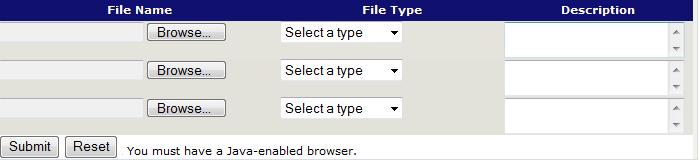
Can't see the table below or having trouble submitting the file?
Can't see the table below or having trouble submitting the file?
To send a file to Manulife you will need to install the latest version of the Java software for Windows.
Once you have finished the download please complete the following steps:
- Log out of the Manulife Secure Site
- Close all browser windows
- Open a new browser window and log in to the Manulife Plan Administrator Secure Site
- Send the file
You may download the Java software now from the Java site.